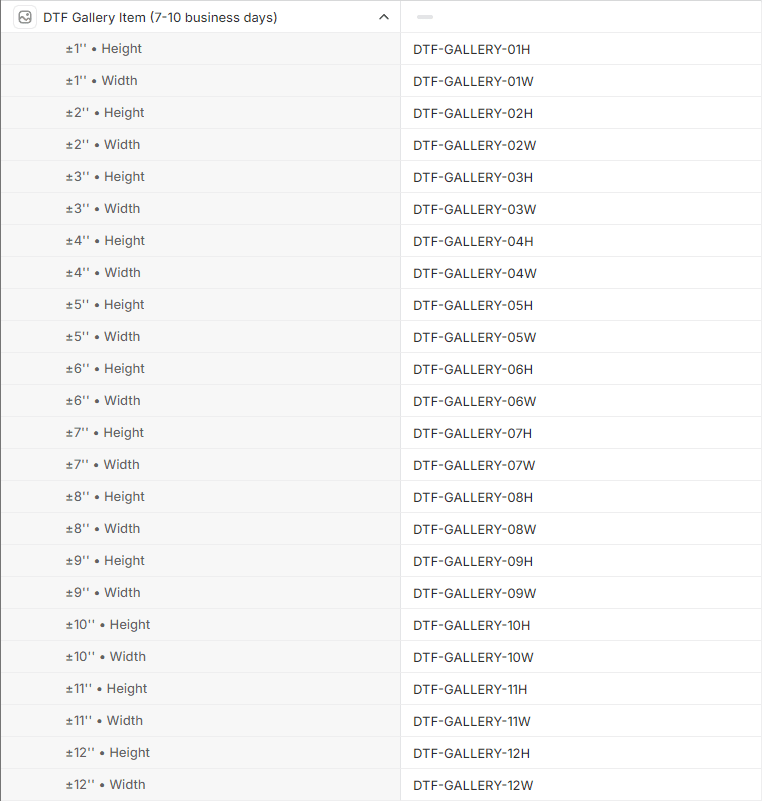
Product skus
DTF Gangsheet Maker can filter orders to only retreive products with skus that match a specific prefix. This can be useful if you have a large number of products in your store and only want to create gangsheets for a subset of them.
This is an optional, but recommended step to ensure that only the products you want to create gangsheets for are imported.
Sku prefix
Choose a prefix for your product skus. Only products with skus that start with this prefix will be imported. For example, the prefix DTF will import skus like DTF-001, DTF-002, etc.
Size suffix
DTF Gangsheet Maker can also automatically import the correct size for each image based on the sku.
The size suffix must be in the following format: -##D where ## is the size in inches and D is the direction (either W for wide or H for high).
For example, a sku of DTF-001-12H would import a size of 12 inches high.
Decimals may also be used, for example DTF-001-12.5W would import a size of 12.5 inches wide. Decimals require . as the separator.
The size suffix is optional, but recommended to ensure that the correct size is imported for each image. If no size suffix is present then images will default to 1 inch high when loaded and need to be updated in DTF Gangsheet Maker. See Adding Images for more information.
Configure Shopify products
Product skus can be configured in the Shopify Admin under Products.
You can update the skus one at a time by clicking on the product and editing the sku field, or you can use the bulk editor to update multiple products at once.
Individual product
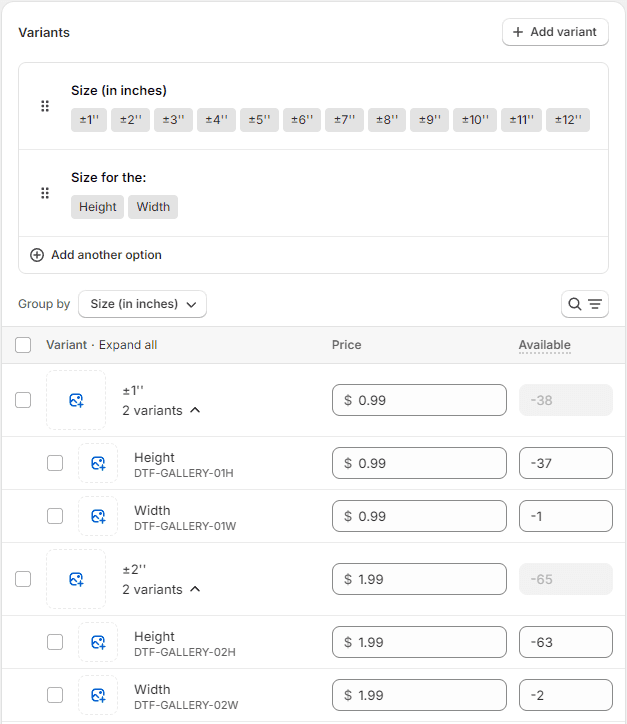
Bulk editor