Print Settings
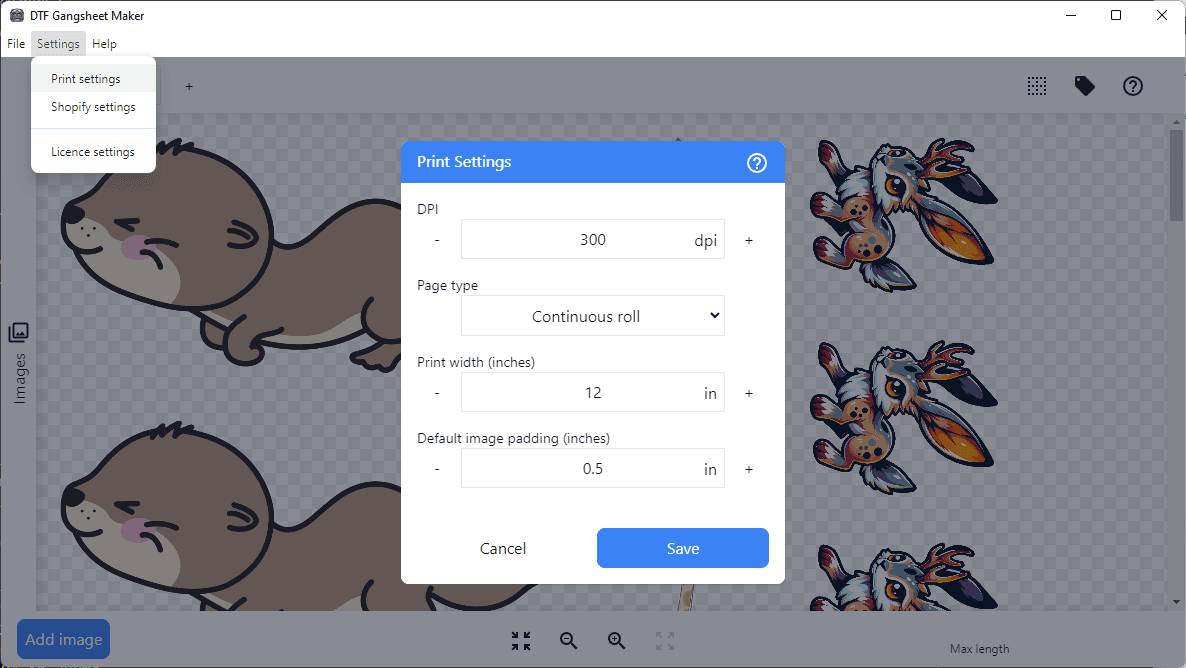
Print Settings allow you to configure the output for your printer. The settings are saved and automatically loaded each time the application is started.
DPI: The DPI setting controls the resolution of the output. The default is 300 DPI, which is suitable for most printers. If you are using a printer with a higher resolution, you may increase the DPI to match. Incorrect DPI settings will result in differences between the expected and actual print sizes.
Page type: The page type setting controls whether the output is continuous or broken into seperate sheets.
Print width: The print width setting controls the maximum width of the output.
Print height: The print height setting controls the maximum height of the output. Only available when Page type is set to Individual pages.
Default image padding: The default image padding setting controls the space between images. This setting can be adjusted for the current session within the main interface but will revert back to the saved default next time the application is started.